On this page
All guides
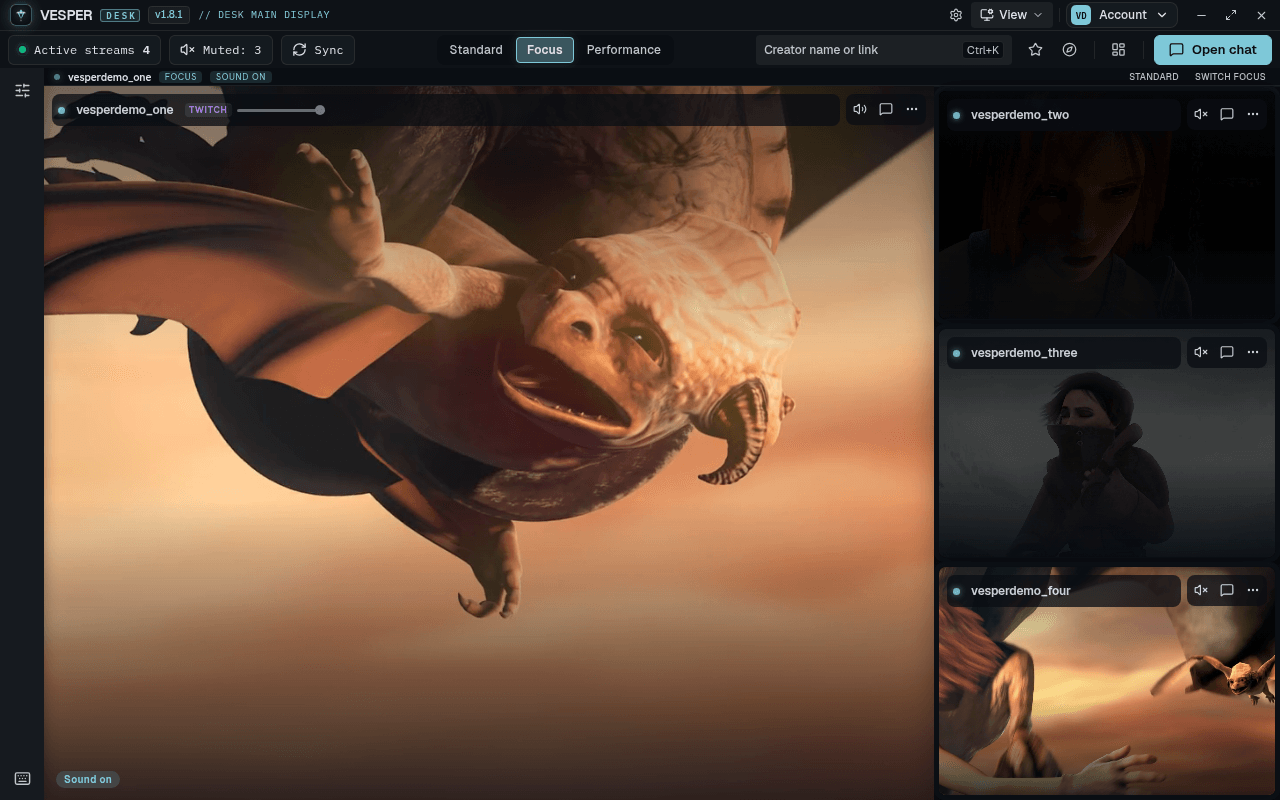
Switch modes
- Step 1:
Use the Standard | Focus | Performance switch in the middle of the toolbar.
- Step 2:
Or press Ctrl+Shift+F to go to Focus mode and back.
Standard
The grid you arrange yourself: drag, resize and place tiles anywhere. This is where most desks live.
Focus
One stream fills about 72% of the stage and the rest sit in a strip beside it. Tiles cannot be dragged in Focus.
- Step 1:
Click a tile in the strip to make it the big one.
- Step 2:
Or press Ctrl+Shift+S (Switch Focus) to move to the next stream.
- Step 3:
On a narrow window the strip moves to a row under the big stream.
Performance
For slower PCs or long sessions. Tiles you are not focused on are paused and drop to a lower quality, and the frosted blur is turned off. Click a tile to focus it and it plays normally.
Performance shows once Show all controls is on in Settings → Appearance.